Proxy Server
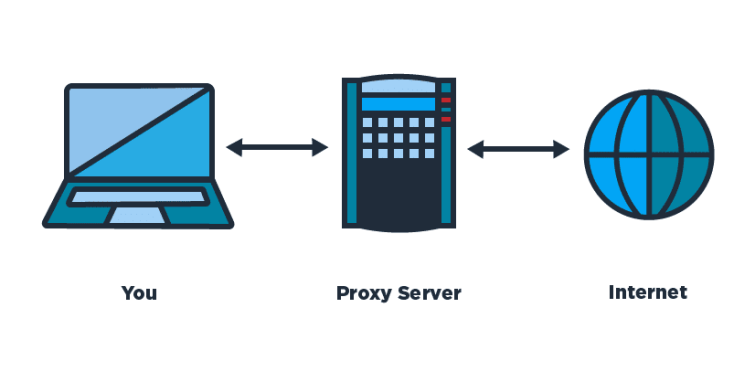
A proxy is simply one that acts on behalf of another. In technicalogical terms, a proxy server helps in annonimity and speed. In a corporate setting, you sitting at your desk browse to "https://google.com". Your request goes to the proxy server. It first checks it's own files and sees if it has a copy of the contents of google.com. If not, it requests them from Google. It makes a copy of what it receives and forwards that back to you. If a co-worker shortly thereafter attempts to visit the same site, instead of asking Google for it, it just send the co-worker the copy that it took when you requested it.
A proxy server helps with anonymity in that instead of every work computer requesting content, one computer is making those requests, so your employer has a way to hide what types of computers are inside the network. Proxy servers can also be used as a security tool to stop malware and prevent data from leaving or entering the network.
When it comes to self-hosting different services inside your home, you'll need a way to access those services. You have to decide do you want others to be able to access them as well. If it's just going to be you and maybe your spouse, then you can setup a VPN. For the purposes of this post, I will assume that you also want to share them with friends or family that don't live with you.
How this works is that you have to purchase a domain from a domain register. You then tell that domain register that you want connections to the domain to go to your own personal IP address. You need to create an "A" record in your "Zone File"/"Zone Editor" on your domain registrar's site. The record needs to look like the following.
HOST: *.{domain}
TYPE: A record
IP: IP address of your home network. You may have some problems depending on how your ISP issues IPs.
After creating the record, login to your home router, you then have to allow connections on port 80 and 443 to enter your network (you'll have to follow your routers instructions, but look for "port forwarding"). You will forward those requests to the server you install the reverse proxy server on.
I am most comfortable with Nginx Proxy Manager (NPM) as a reverse proxy server. NPM is super easy to setup. Follow the instructions in the GitHub repo. Once you have it setup, you'll create a "Proxy Host" entry on NPM for each program you want to access outside your home network.